
Can mobile MT4 add self-compiled indicator analysis?
With the popularity of mobile devices, the mobile version of the MT4 trading platform has become a popular tool for many investors. Its convenience even surpasses that of the computer version in some scenarios. We know that the computer version of MT4 supports adding custom indicators, so does the mobile MT4 have the same function?
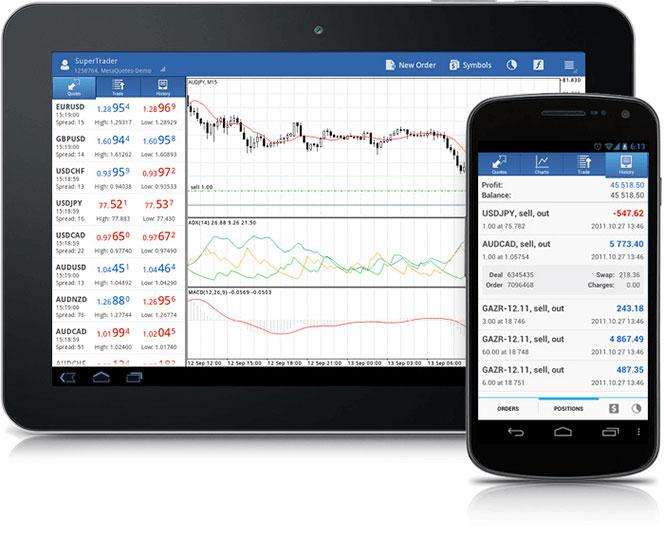
At present, the mobile terminal MT4 does not support adding or editing external self-compiled indicators, which is a limitation of its function. However, investors do not need to worry too much. The mobile platform itself has more than 30 commonly used technical indicators, which is enough to meet most of the conventional technical analysis needs. If you want to use specific self-compiled indicators, you still need toRaise one's headSwitch to the more comprehensive PC version of MT4 for operation.
The steps to install self-written indicators on the computer version of MT4 are relatively simple. First open the MT4 platform, click the "File" menu in the upper left corner, and select "Open Data Folder". Then find and enter the "MQL4" folder, where you can see subfolders such as "Experts". If you are installing an Expert Advisor, copy it to the "Experts" folder; if it is a technical indicator, copy it to the "Indicators" folder. After copying, restart the MT4 platform to find the newly added indicators in the navigation window.
Overall, mobile MT4 lacks the ability to customize indicators. Investors can use the computer version to achieve more complex personalized analysis. For the choice of trading tools, understanding their characteristics can better serve investment decisions.
Please indicate the source: https://www.daoctech.com/fxschool/2272.html
Disclaimer: The content of this article does not represent the views of the Institute of Foreign Exchange. The content is for reference only and does not constitute investment advice. Investors operate accordingly at their own risk.